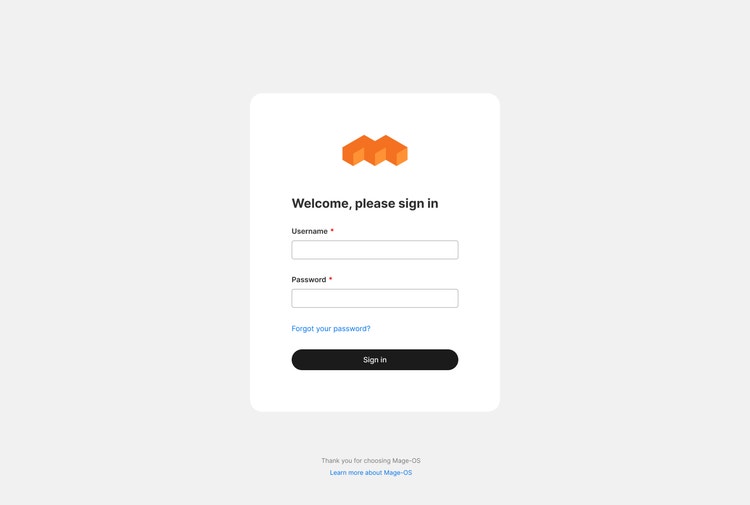
Mage-OS Admin Theme Intro
Overview: new Mage-OS Admin Theme design
By Artem Kozynets, Lead Developer Adobe Commerce, AEM
I want to present a design of the new Mage-OS Admin Theme, a significant upgrade created to enhance the administrative experience for users of the Mage-OS platform.
It started as a personal project and finished as a complete design system for the Mage-OS Admin.
The incorporation of new color palettes, typography, and iconography infuses minimalism and enhances the aesthetic of the interface, resulting in a visually appealing design that retains a clean and modern look. Prioritizing user feedback and applying cutting-edge design principles creates an experience that is both visually pleasing and highly functional.
For me, the primary reason for creating this new Admin Theme design was to address the evolving needs of the Magento community, ensuring that managing eCommerce operations becomes simpler and more enjoyable.
What is Mage-OS
Mage-OS is an innovative, community-driven fork of Magento Open Source, dedicated to fostering a collaborative environment for the Magento and eCommerce community.
Mage-OS is 100% community-owned / run to ensure that we best serve the needs of the ecosystem, not shareholders or investors.((https://mage-os.org)
Simplified Terminology
Mage-OS - an eCommerce platform or organization/community, depending on the context.
Mage-OS Distribution - software built on top of Magento Open Source plus additional features, performance improvements, and bug fixes.
Mage-OS Association - a group of individuals within the Magento community driving this initiative.
Or as a logical reference: Linux | Ubuntu ... | Linux.
Although we are talking in various languages, the one universal language we have in common...
Let's take a look at the Mage-OS Admin Theme.
Overview
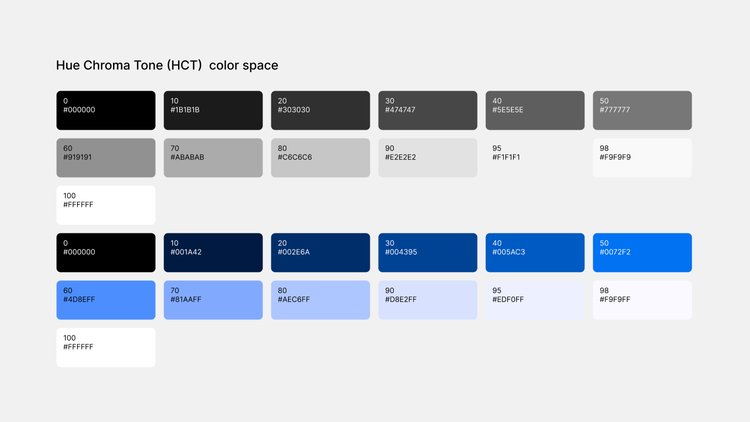
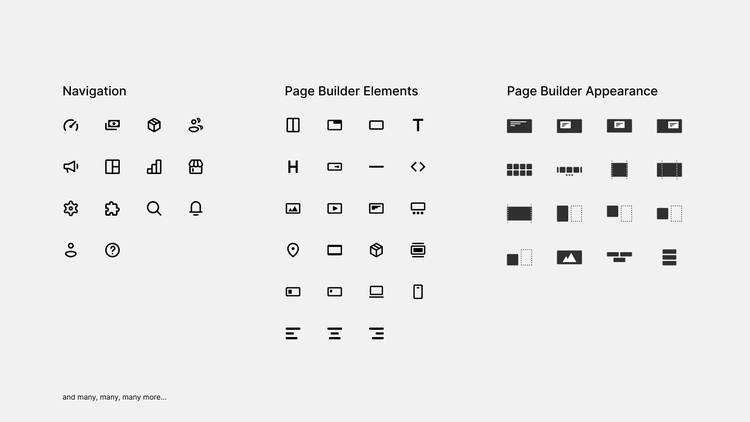
Design is a modern, minimalist style based on Material Design 3 patterns. It uses a neutral palette of white and gray with strategic blue highlights. Includes brand new icons for the Main Navigation, Page Builder, and essential UI elements.
Dashboard
With intuitive navigation and interactive elements, users can effortlessly explore sales trends and customer behavior, empowering them with confidence and control over their business analytics.
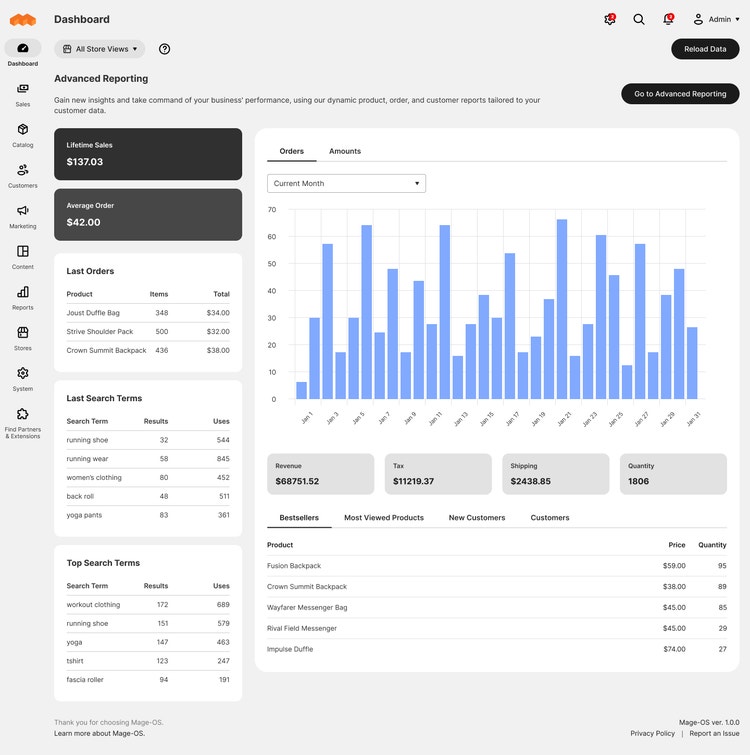
Ui elements on Dashboard Page
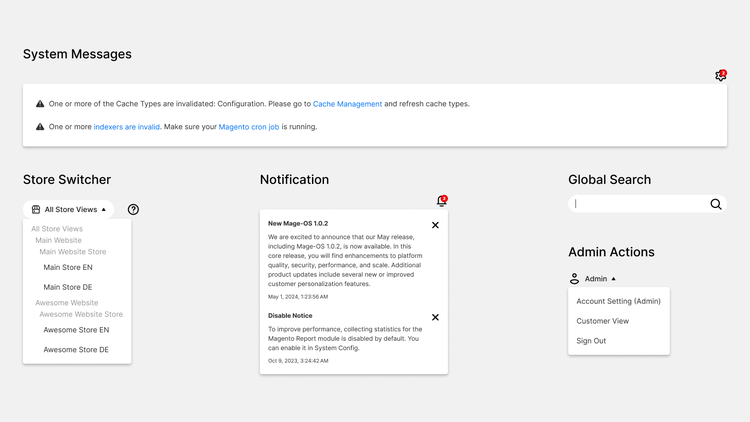
What is on a page and how it looks in action
- System Messages
- Store Switcher
- Notification
- Global Search
- Admin Actions
- Data analytics panels
Product Pages
The Products Page features a clean, organized design that displays product data in a grid format.
The top of the page provides quick access to key actions, such as selecting/deselecting, editing, rearranging, controlling view, and filtering.
Interactive blue accents guide users through actions like filtering and editing.
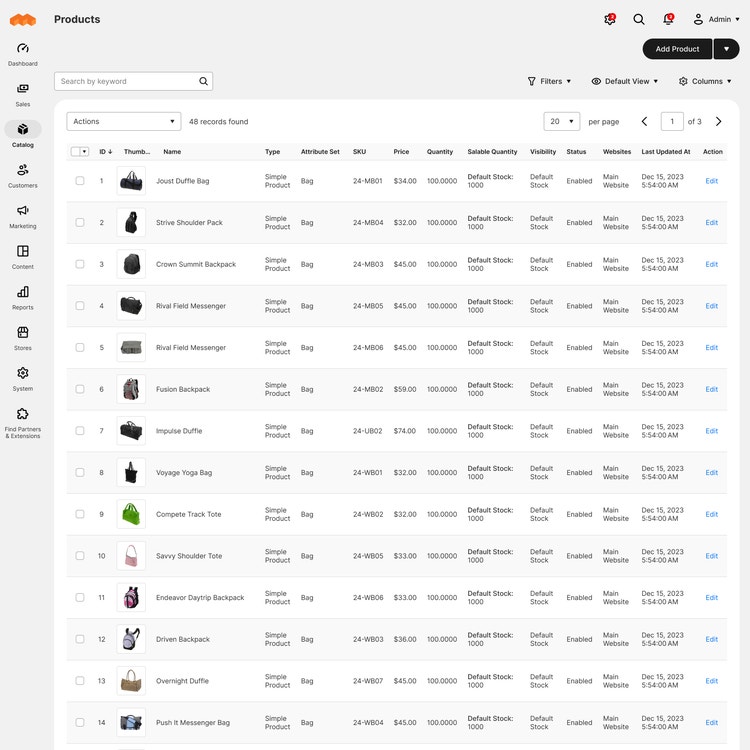
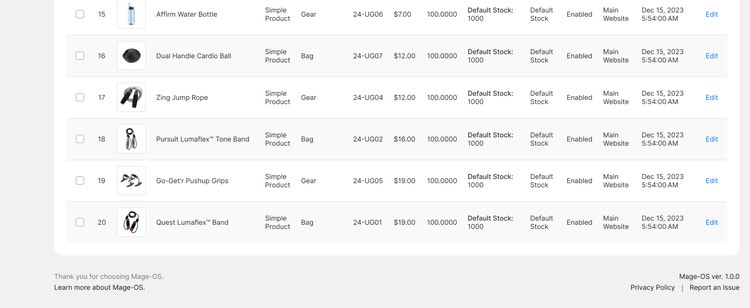
Ui elements on Products Page
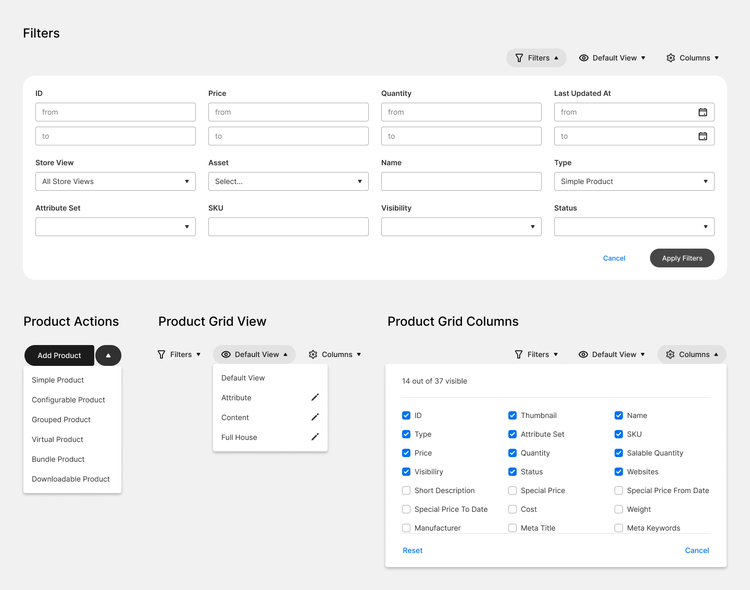
What is on a page and how it looks in action
- Filters
- Product Actions
- Product Grid View
- Product Grid Columns
- Product Items Grid
Product Page
The straightforward design provides a professional and focused environment. Featuring a structured layout and intuitive controls, users can seamlessly manage product details ranging from SKU to pricing. This page ensures that users feel in command, fostering a productive workflow with minimal cognitive load.
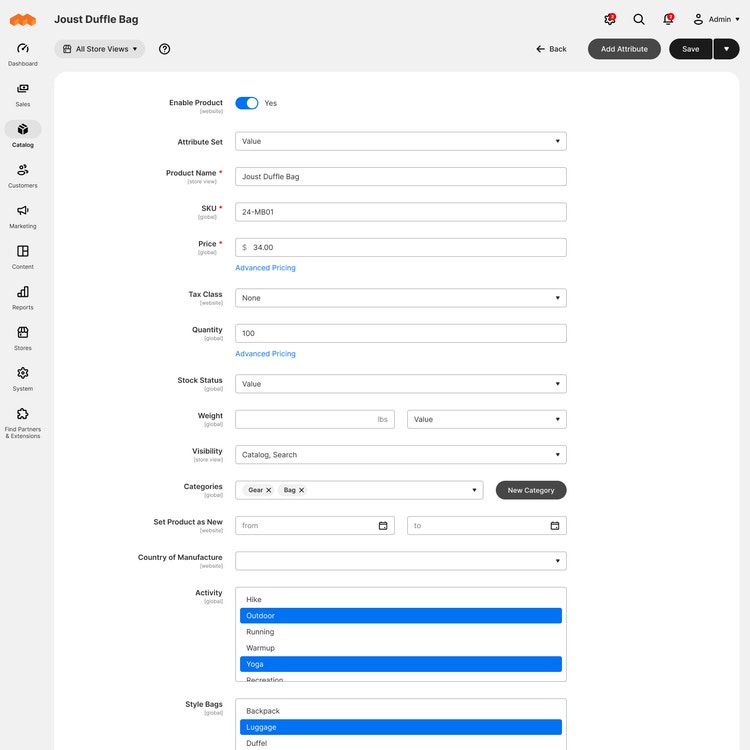
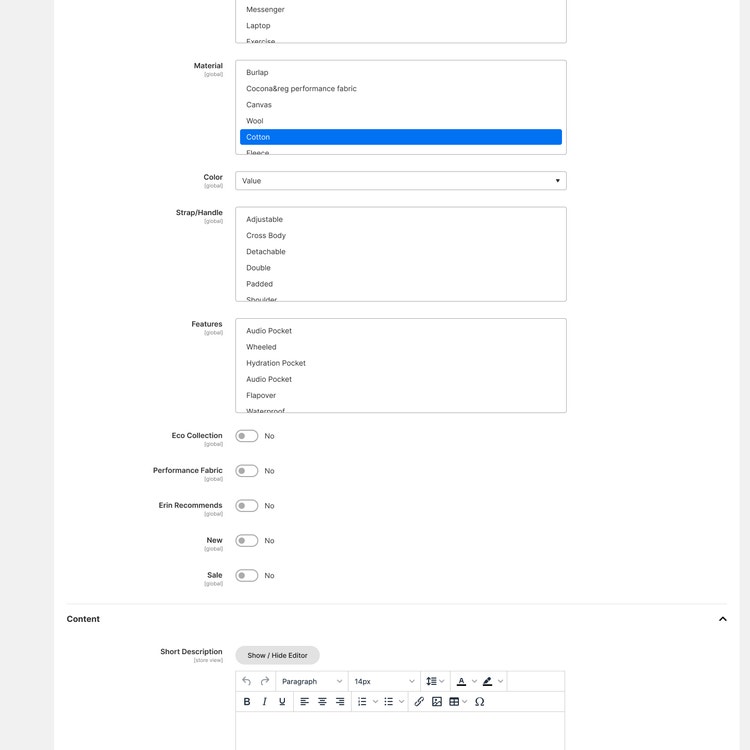
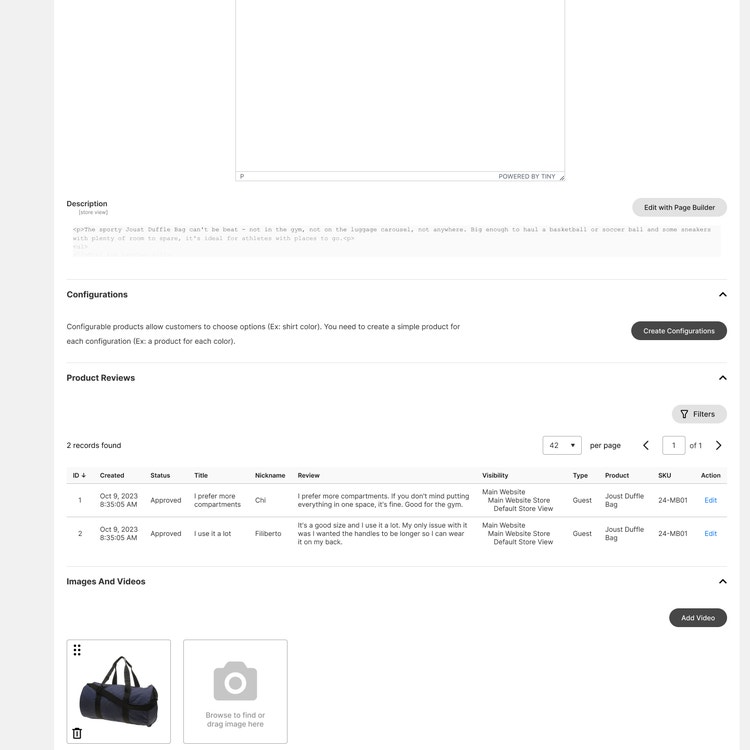
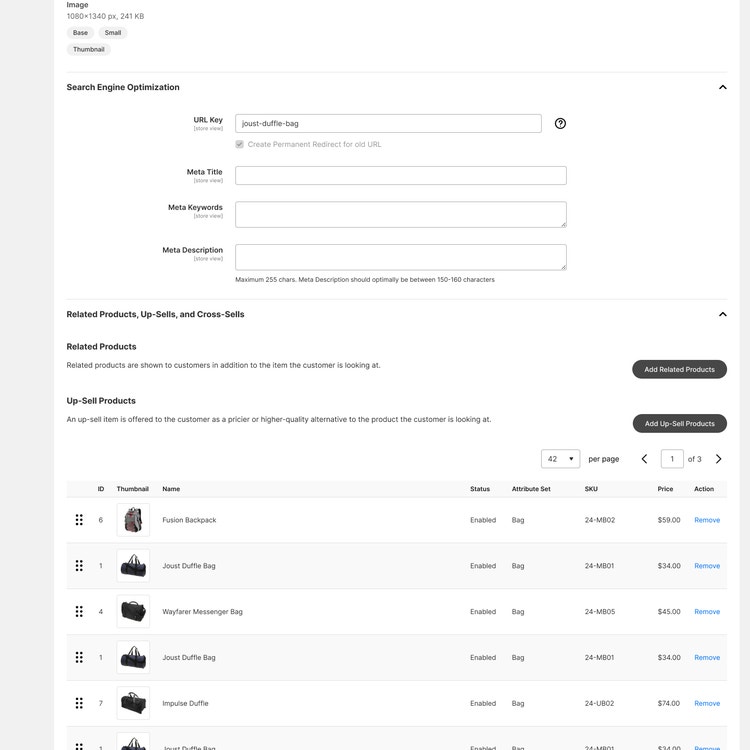
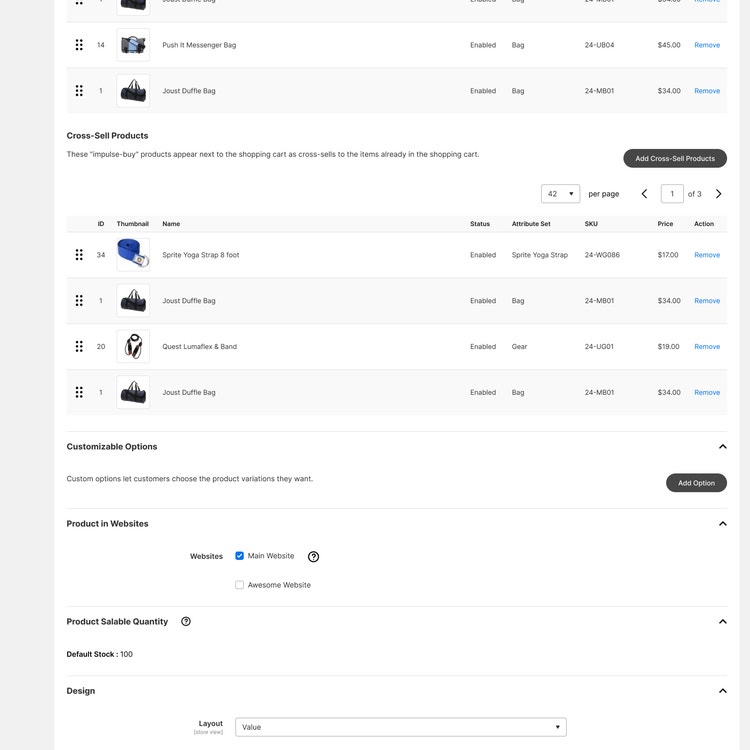
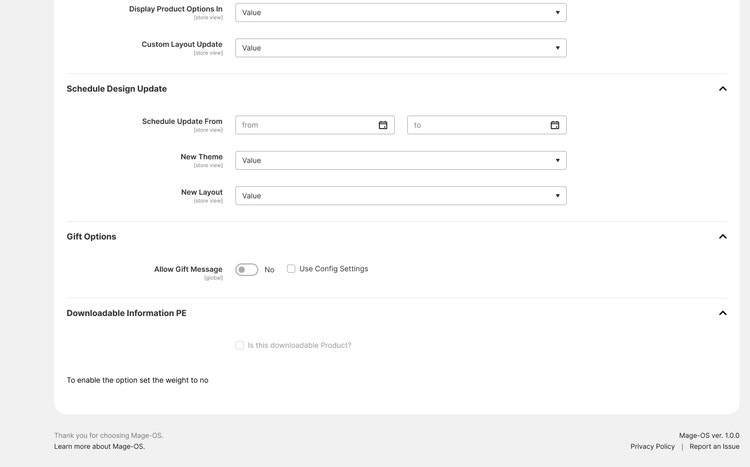
Ui elements on Product Page
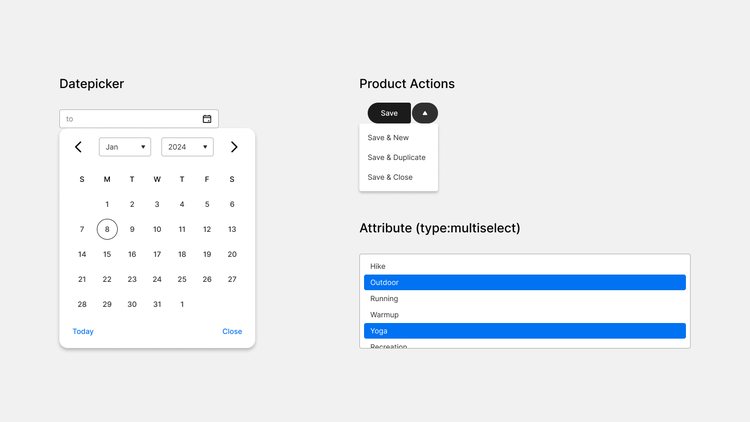
What is on a page and how it looks in action
- Datepicker
- Product Actions
- Attribute (type:multiselect)
- Product key attributes
- Images, grids, fields, selects, dropdowns...
Content Pages
Looks close to Products Page with additional Page Actions dropdown for quick access to main Page Actions like: Edit, Delete, View.
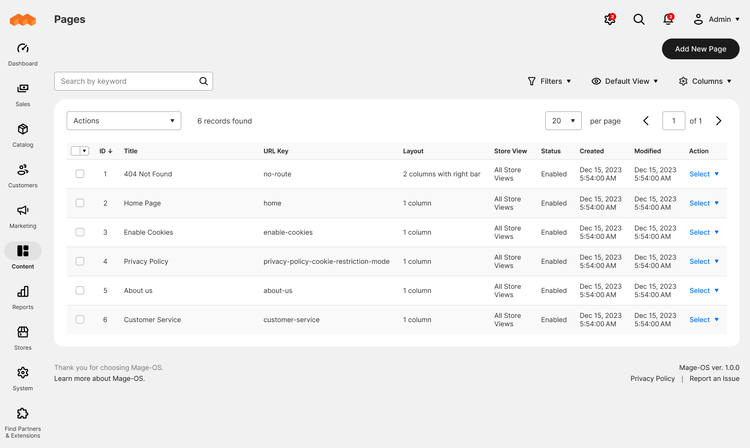
Ui elements on Content Pages
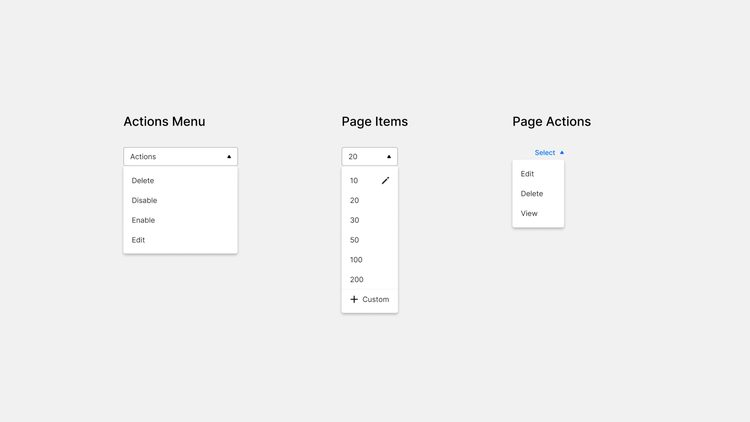
What is on a page and how it looks in action
- Actions Menu
- Page Items
- Page Actions
- as well as Filters, Grid View, Grid Columns
Content Page
The next major component of Mage-OS, alongside Products and Configuration, is the Content and Page Builder. With options to tweak Page Builder's out-of-the-box content elements, coupled with real-time previews, users can experiment and visualize changes instantly. This design encourages creativity and provides the tools needed for impactful marketing content.
During the design update, I discovered that the Page Builder's UX is flawless. I've added brand new icons for elements and actions.
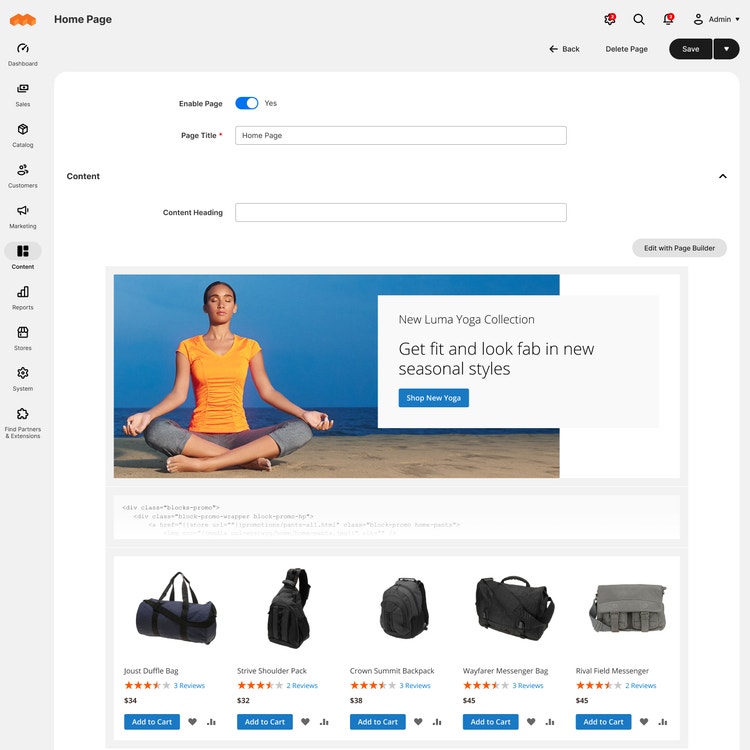
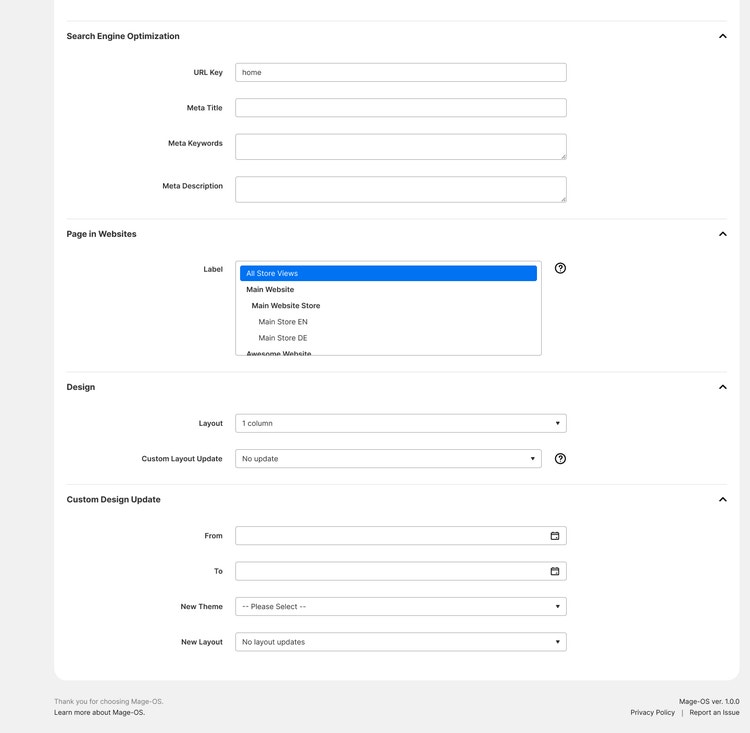
Ui elements on Content Pages
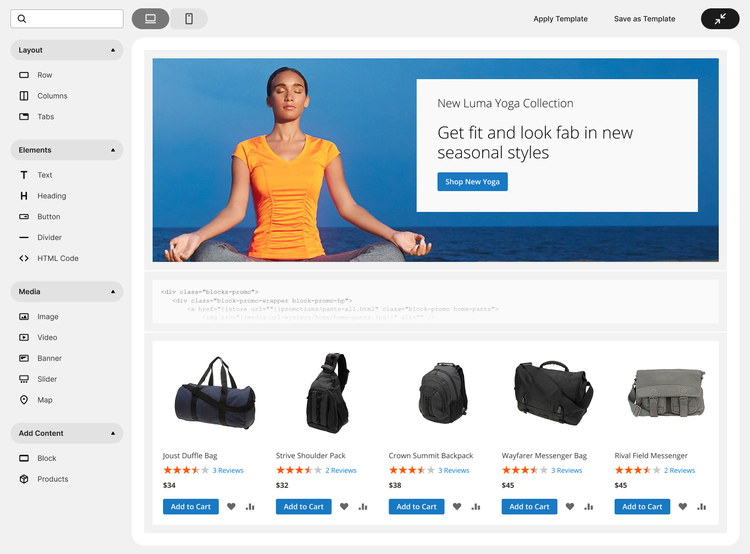
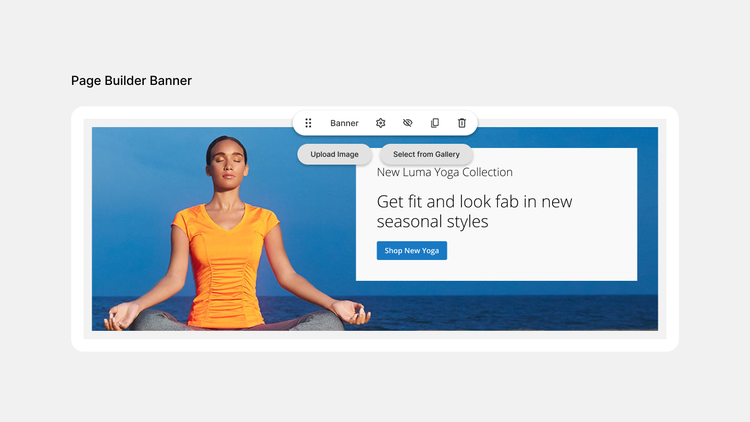
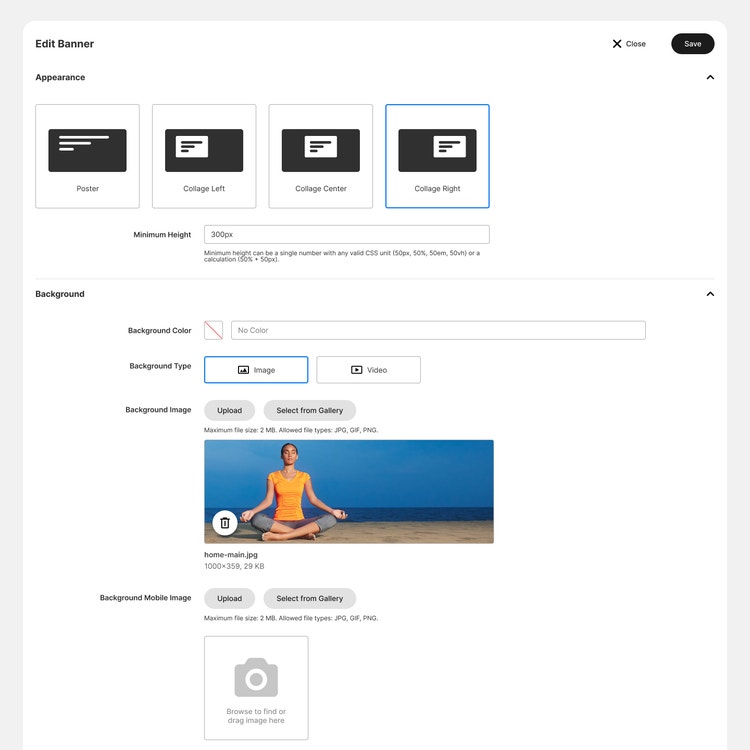
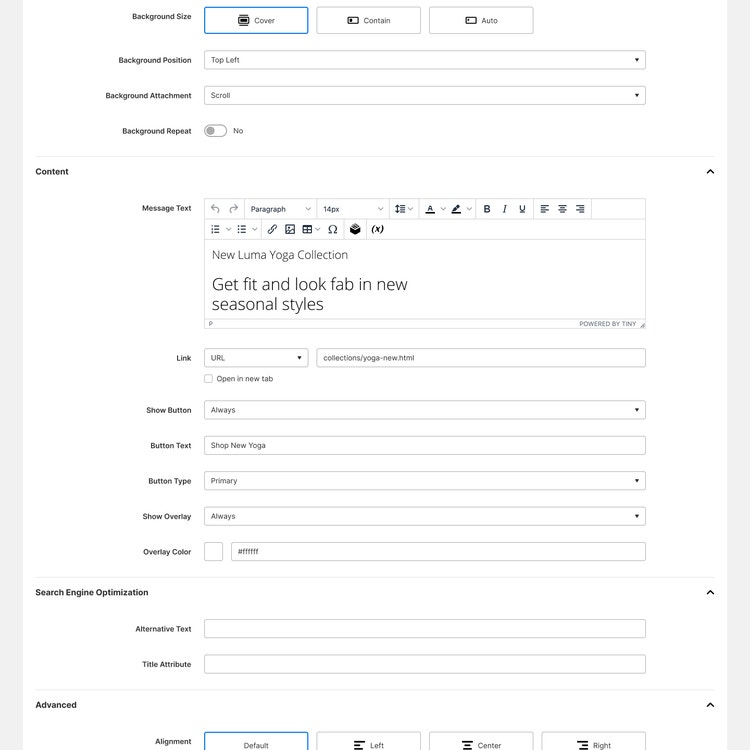
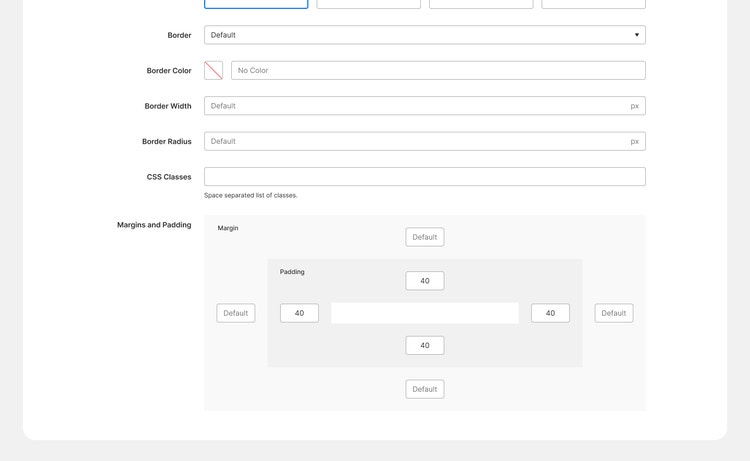
What is on a page and how it looks in action
- Page Builder Edit Stage
- Page Builder Banner
- Banner Edit Modal
- Banner configs: Appearance, Background, Content, Search Engine Optimization, Advanced
Configuration Page
Finally, the Configuration Page represents simplicity and order. The intuitive controls and collapsible sections allow users to easily manage complex settings.
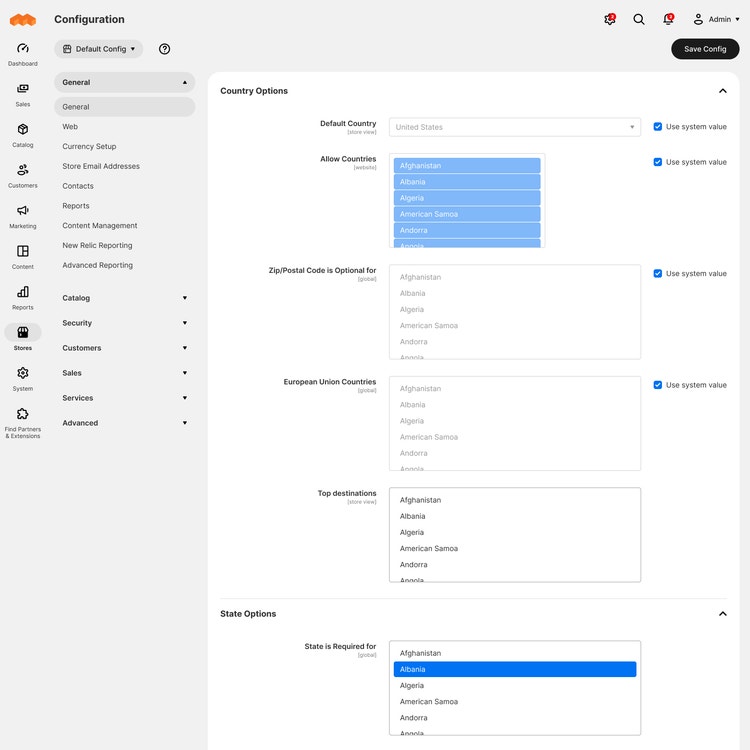
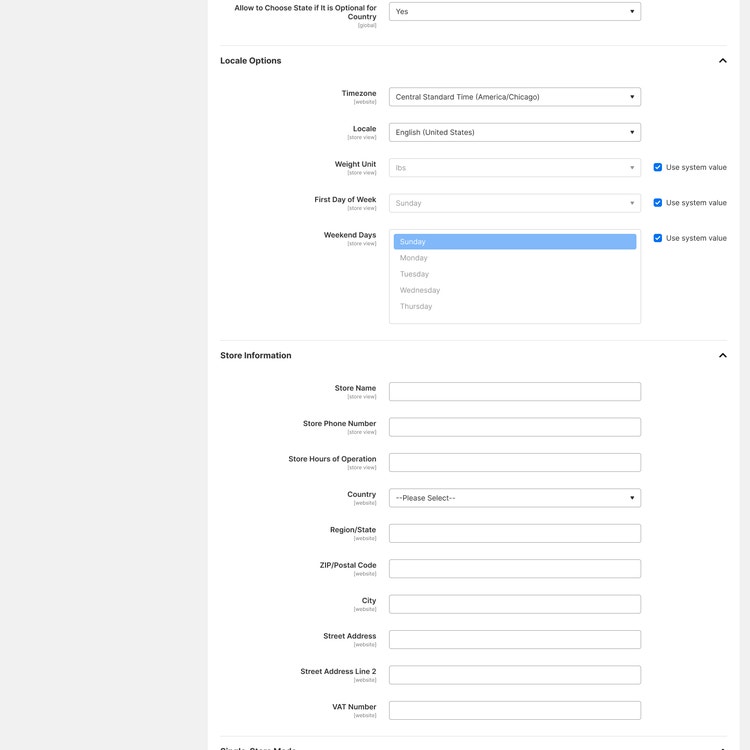

Ui elements on Configuration Page
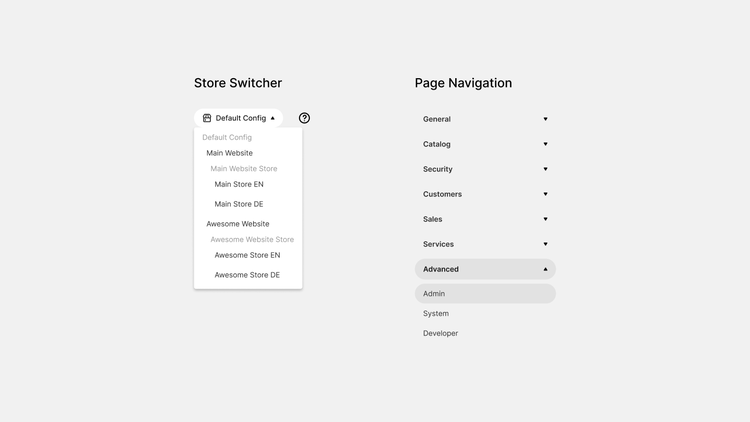
What is on a page and how it looks in action
- Store Switcher
- Page Navigation
User Acceptance Testing (UAT)
Incorporating UAT into the design process is essential for creating products that resonate with users. As developers and designers, prioritizing UAT helps deliver high-quality eCommerce solutions.
I organized a few rounds of UAT to test the new UI and overall design.
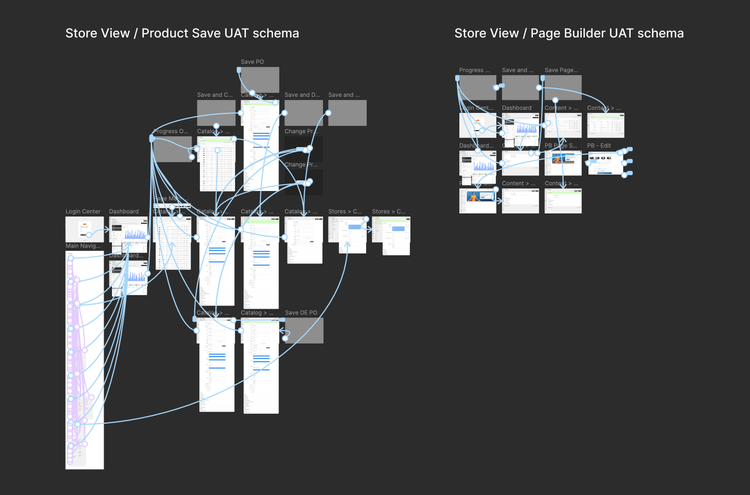
In particular, was tested next user journeys were tested
- Store View scope management
- Product edit, store view scope
- Store Configuration edit
- Content management path
- Page Builder edit element
- General design and visual elements

What are you waiting for?
I've collected several proposals and comments around UI, positive feedback about design, and a list of features to extend the platform in the future.
In summary, well-crafted eCommerce interfaces not only support effective management but also empower users to make informed decisions with ease. Feel free to contact us for more…